


Companies building for agents often treat them as a bolt-on feature.
This is a mistake.
Agents today are more like a new form factor – an interaction layer that sits between your product and your users:
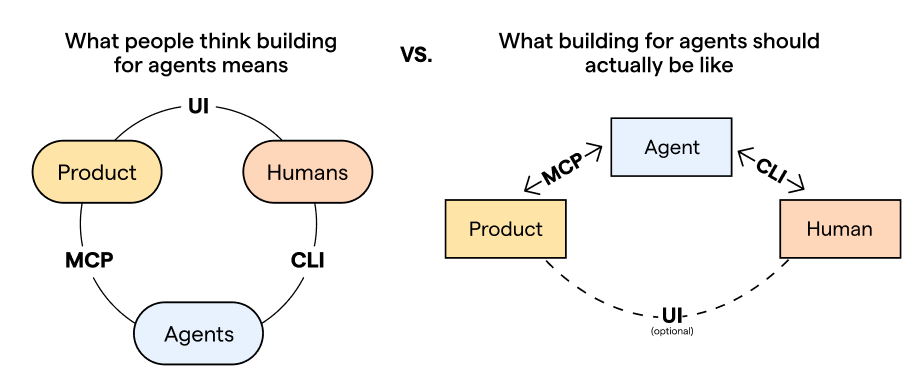
That means you need to build for agents as a primary surface, not an afterthought.
When done right, this opens up a whole new space of possibilities for your product, like autonomous work and asynchronous flows.
Implement it poorly and you’ll lose users’ trust due to slow, buggy experiences and incorrect results.
We learned this the hard way and overhauled our AI architecture two times in the last year. Now, our agent and MCP have 6K+ daily active users.
Here are the golden rules of agent-first product engineering we learned along the way.
1. Let agents do everything users can
If a human can do something in your product, an agent should be able to do it as well.
For example, let’s say you ask an agent to set up an A/B test for a new pricing page.
The agent would use the PostHog MCP to create the feature flag, create the experiment, link it to the flag it just created, and set up the insight and metrics.
Now imagine if the experiment-create tool was missing because we just hadn’t prioritized it yet. The agent creates the flag and insight, but must stop and ask you to go to posthog.com, create the experiment yourself, and paste the experiment ID.
This is annoying and defeats the entire point.
The benefit of agents is that they reduce the time, attention, and expertise needed to complete a task. If your product doesn’t give agents the same capabilities as users, you’ll always be limited by the human in the loop.
Of course, there are situations where requiring human input makes sense, like if you’re dealing with sensitive data. But these should be deliberate exceptions, not accidental gaps.
What this looks like in practice
In practice, this means nearly everything in your API needs to be accessible to agents.
That doesn’t mean converting every endpoint into an MCP tool; we made that mistake in v1. (More on why that's bad in the next rule.)
Here’s how we do it now in v2:
Our pipeline autogenerates an OpenAPI spec from our typed Django endpoints.
It then converts them into TypeScript validation (Zod) schemas.
In parallel, product teams have to manually opt-in each endpoint via YAML config files. Nothing is exposed by default.
The pipeline then combines the Zod schemas + YAML configs to generate the final TypeScript tool handlers.
The result is a set of tool handlers – one file per product area1 – ready to go in our MCP server. Agents are able to do anything that a human can through the PostHog API, even if the tools don’t exactly match the endpoints 1:1.
2. Meet agents at their level of abstraction
To build an agent-first experience, you have to find the semantic layer where agents already reason best and meet them there.
This saves a ton of context (a precious resource) but the benefits are more than practical. They’re fundamental. The more “raw” your product’s agent interface is, the more creative potential you unlock.
Think about giving a child a Lego set for their birthday. If it comes with tires and axles already glued together, they’re going to make cars, trucks, and airplanes – vehicles that everyone has seen before.
If the parts come separated, they’re free to mix and match to build motorcycles, tire swings,2 snow sleds, and who knows what else?
What this looks like in practice
In the old version of our MCP, to answer “why did signups drop last week?”, an agent had to make four separate calls: projects-get, insight-get, and insight-query (twice).
get-insight or get-funnel may be meaningful to humans navigating the PostHog UI, but to an agent, it’s just an unnecessary translation step.
So in our MCP v2, we let agents query PostHog data in a language they already speak fluently: SQL.
By exposing our product at this layer of abstraction, we were able to turn off all our read/get endpoints off since they get subsumed by executeSql.ts.
Now, answering “why did signups drop last week?” can be answered with just a single, elegant query:
SELECT
    toStartOfWeek(timestamp) AS week,
    countIf(event = 'signed_up') AS signups
FROM events
WHERE timestamp >= now() - INTERVAL 2 WEEK
GROUP BY week
ORDER BY week
3. Front-load universal context
In the early days of AI, developers had to front-load everything into agents to compensate for smaller context windows and less capable models.
But as the technology keeps improving, there’s a new trend that removes as much context as possible and trusts the model to figure out the rest.
That works for general-purpose agents since they’re designed to be flexible. Anthropic can’t predict everything that everyone is using Claude for.
But if you’re building an agent experience for your specific product, the problem space is much smaller. You already know the key scenarios, tools, and use cases.
So for product engineers, you can strike that balance by front-loading what you know every session will need, and defer the rest.
What this looks like in practice
We didn’t think about it this way at first, so our v1 system prompt was four lines that essentially said “Here are some tools for using PostHog, GLHF.”
Every agent would waste time and tokens to rediscover the same things every time they connected.
In v2, we made use of the fact that anyone connecting to the PostHog MCP is there to query their PostHog data. That’s the whole point.
Now, we load these at the start of every PostHog MCP session:
PostHog-specific taxonomy. What’s a feature flag, experiment, session replay, etc.
Our SQL syntax. How to use our custom translation layer over ClickHouse SQL.
Critical querying rules. Hard constraints that apply to every query (e.g., always filter by time range).
Everything else gets pulled later. We let the agent figure out when.
4. Writing skills is a human skill
Skills help you fill the gap between what your product can do and what an agent can do out of the box with your tools:
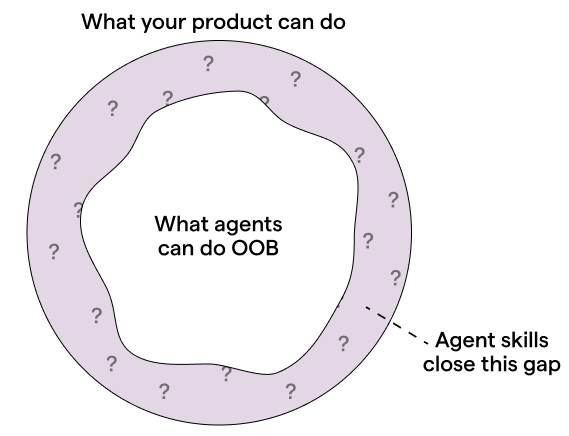
The biggest mistake people make is writing them like step-by-step manuals. If you’re too prescriptive, agents will follow your instructions too rigidly and lose the ability to improvise (see rule #3).
Instead, think of it like onboarding a new employee who’s already highly qualified.
A bad manager micromanages every process — do A, then B, never C, and always D. A good manager trusts the hire and only steps in with the specific things they couldn’t have known on their own.
That’s what good skills look like.
They should only contain context that a human can provide since an agent can’t discover by itself, such as:
Idiosyncratic knowledge. Internal acronyms, naming conventions, and style guides.
Edge cases. The uncommon places where things break, and how to handle them.
Taste and craft. Not just how to use your product correctly, but how to use it well.
What this looks like in practice
To figure out what goes into a skill, ask yourself: what would an agent get wrong about your product without you?
For us, it’s in the connective tissue between our products, the domain knowledge buried in our data, and our niche developer takes. For Linear, it’s the opinionated issue hierarchy. For Figma, it’s their design system coherence.
As an example, here’s a line we added to query-retention.md:
For activation and retention events, use the
$pageviewevent by default. Avoid infrequent or inconsistent events likesigned inunless asked explicitly, as they skew the data.
Without this guidance, an agent would just use whatever event the user mentions, which is usually misleading. Retention would look worse than it actually is, and there’s no way a user would know unless they’d done this analysis themselves before.
By adding this line in the skill, we’re embedding a PostHog Certified™ opinion about what good metrics and analysis actually look like. This ensures agents use our product correctly, and users aren’t inadvertently misled.
5. Treat agents like real users
In traditional software, even if user behavior isn’t predictable, the code is. With AI, you lose that stability; the same inputs won’t produce the same outputs anymore.
This means classic testing methods will leave a gap, so you need new ways to catch the things automated tests no longer will.
You need to treat the agent like you would treat a user. Talk to them, build empathy for them, and develop an intuition of what they want.
This helps you see your product like they would and get familiar with all the interaction patterns and quirks they have.
What this looks like in practice
Here are a few habits and behaviors we adopt at PostHog to achieve this:
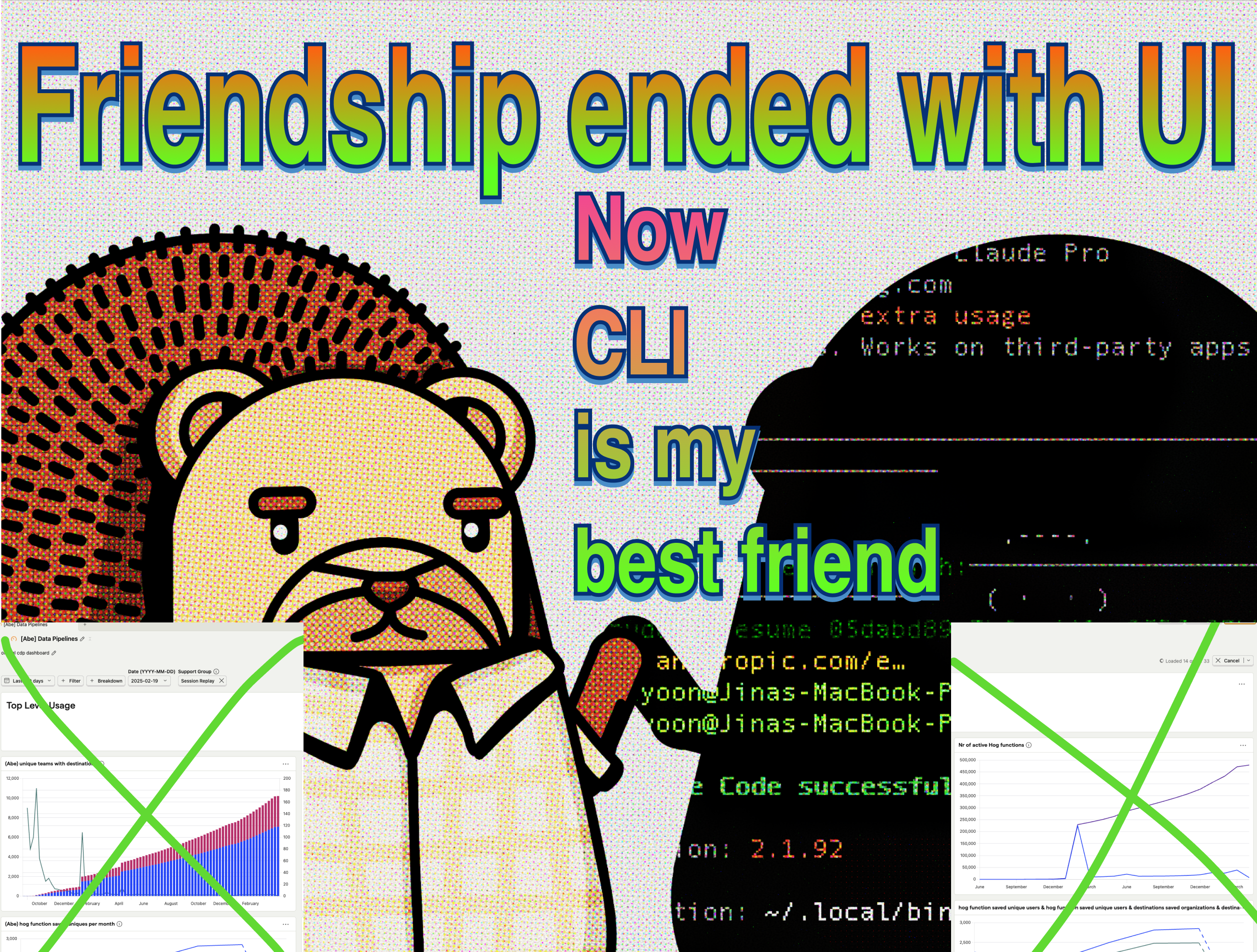
Dogfooding headlessly. When testing our agent features, we reach for the CLI before the UI. This puts us in the same environment the agent operates in and exposes us to the same types of errors, syntax, and friction they’d experience. It’s how we caught an issue internally and found that our MCP tool descriptions were eating up way more tokens than it should.
Doing manual trace reviews. We hold a weekly “traces hour” where we go through real user sessions that have user feedback ratings. For example, we found a case where PostHog AI confidently told a user that feature flags don’t support scheduled releases and then backtracked. Automated tests wouldn’t have caught that since the agent did respond; the response was just incorrect.
Feeding our intuition into a loop. We then amplify the value of those manual reviews by building evals based on what our human eyes caught – both the good and the bad. Once, we found a session where PostHog AI correctly intervened when it spotted a weird data pattern that the user hadn’t noticed. We turned that into an eval case so that future model or prompt changes don’t regress the good behaviors we want to keep.
Words by Jina Yoon who hereby declares herself agentpilled.
📜 Related texts
You Need to Rewrite Your CLI for AI Agents – Justin Poehnelt
Building MCP servers in the real world – Gergely Orosz and Elin Nilsson (The Pragmatic Engineer)
Block’s Playbook for Designing MCP Servers – Salman Mohammed and Kalvin Chau (Block)
Patterns for Agentic Tools – Arcade
I hate the standup bot (so I built an agent to do it for me) – Andy Maguire
🦔 Join the order
As a nice bonus, this pipeline keeps tool ownership with the people closest to the product, which fits our small team culture.
We fact checked with our resident Lego experts who confirmed that it is indeed possible to build a tire swing out of Legos.
this resonates with my learnings building agent(s) too! agent should be able to see what user sees, we need to provide opinionated defaults, and a few other things. (https://harshalpatil.substack.com/p/ai-copilot-expectations-day-one)
I found it interesting that you moved from UI to CLI, whereas my efforts were to move from CLI to UI so that our observability matches the user view.
I wrote about something similar myself. Having a framework for working with agents is the primary factor for extracting value from them. https://alfredopzr.substack.com/p/engineering-in-the-ai-era?r=3lqlui&utm_campaign=post&utm_medium=web&showWelcomeOnShare=true