



When people imagine multiplayer AI, they usually think of products like Claude Tag or PostHog in Slack.
These are fine for simple tasks, like fixing minor bugs and querying data, but most work happens outside Slack across dozens of apps in messy, nonlinear processes.
This creates a UI bottleneck that forces people to translate rich information into flat text, only to be transformed back into the original shape by agents at the end of the funnel.
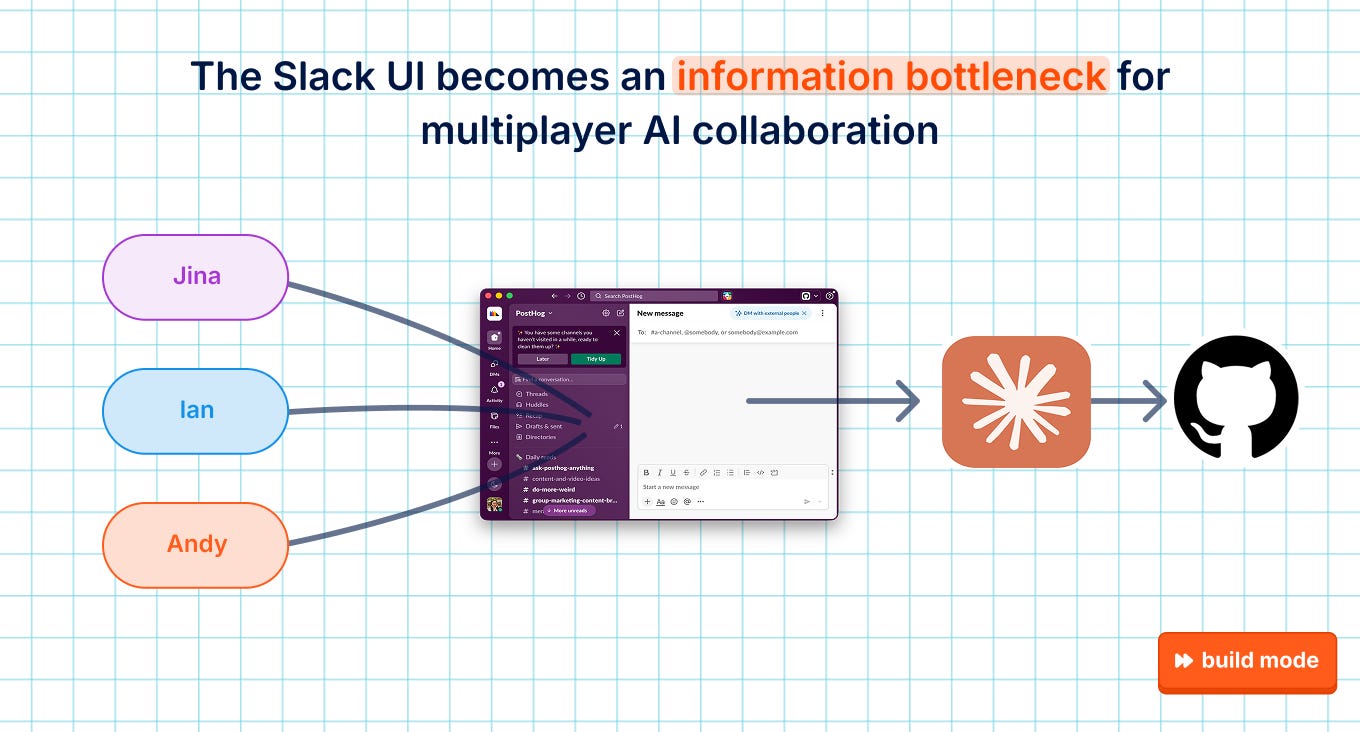
We wanted to build a collaboration tool that’s designed for agents from the start, so we’ve been exploring alternatives beyond Slack for multiplayer AI these last few months.
Here are a few of the lessons we’ve learned so far about building multiplayer in PostHog Desktop.
1. You need to establish a shared reality
Context is important for any AI system, but the key word in multiplayer is shared context. Siloed context wastes tokens, duplicates work, and creates inconsistencies.
Say two teammates attend the same meeting but write down slightly different definitions of a goal metric. Their context now differs, which means their work may diverge without them even knowing. With agents, these minor differences can compound into completely different realities at scale.
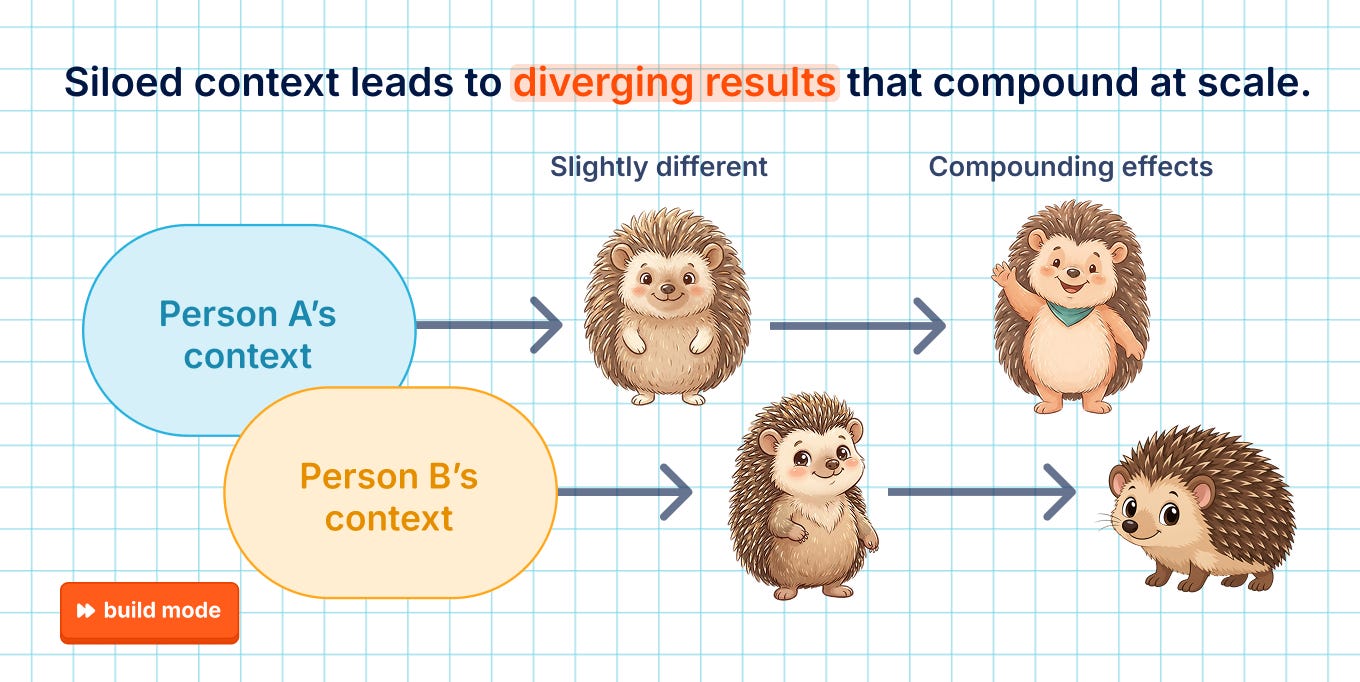
A shared context system reduces that risk by being a source of truth. This also decreases the friction of information handoff, since teammates can just check a shared resource instead of asking and waiting on each other.
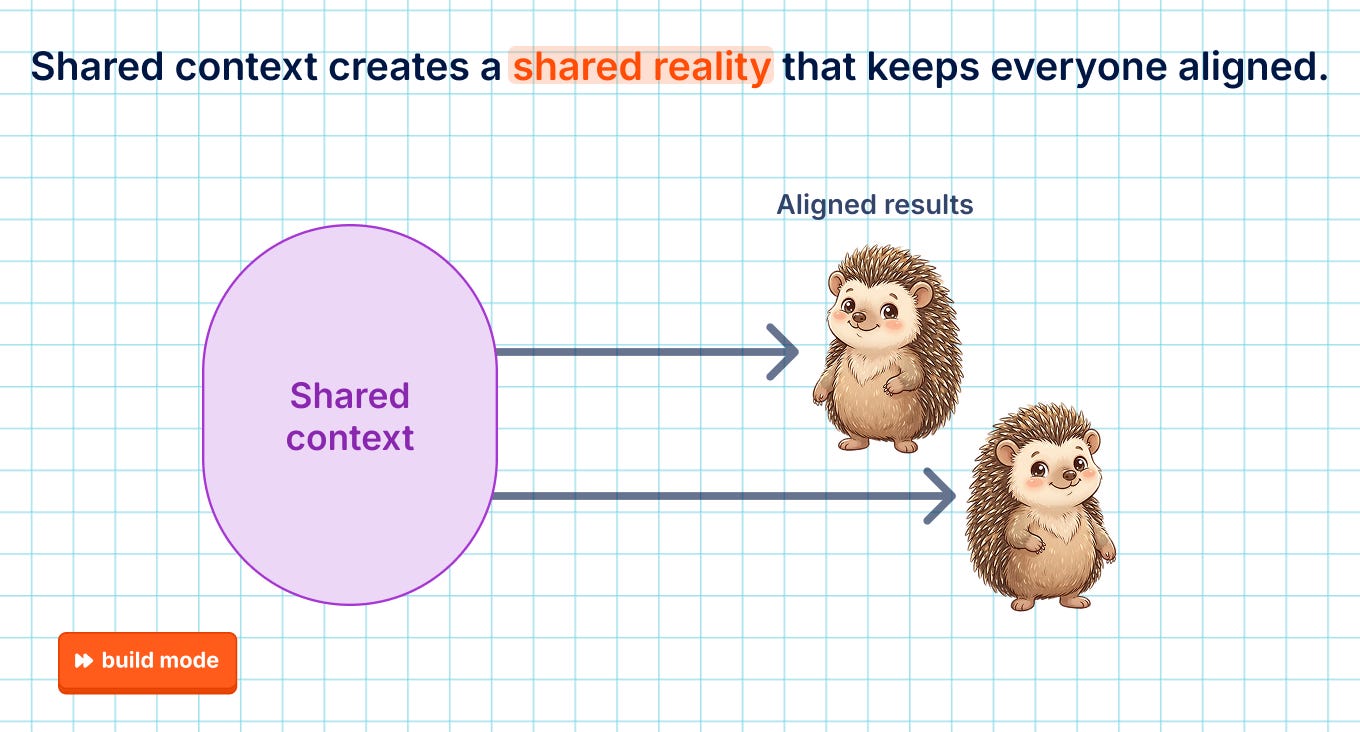
There’s no reason to not have a shared context system since it can be as simple as a team Notion page connected via MCP. The real challenges are in keeping it up to date, trustworthy, and complete.
How we’re building it
In chat-based systems, shared context is basically free since you can infer what’s in scope from the root conversation. When the PostHog in Slack bot gets tagged in a thread, it can just read what people have said in chat so far. It also has context from the relevant PostHog project for that organization via our MCP.
But our approach to multiplayer in PostHog Desktop is built on Spaces, not conversations. Spaces are like “rooms” that hold people, agents, and work objects in a shared container. They’re entirely user-defined, so there’s no way to automatically identify and initialize shared context.
We first tried to solve this by asking users to write down the purpose of a Space in a CONTEXT.md at creation time and update it regularly. As you’d expect, that never actually happened. Over 90 days, only 64 users ever started a shared context file, and only 14 users ever edited it.
We’ve since been exploring automatic context maintenance for Spaces through an AI-powered context layer. It starts out almost empty and grows by running a nightly “dreaming” task that records what happened that day in a version-controlled Markdown wiki.
This is similar to what others might describe as an implicit knowledge layer, or company brain. The actual work objects like docs, PRs, and tickets live elsewhere; the context layer just looks at them to extract information:
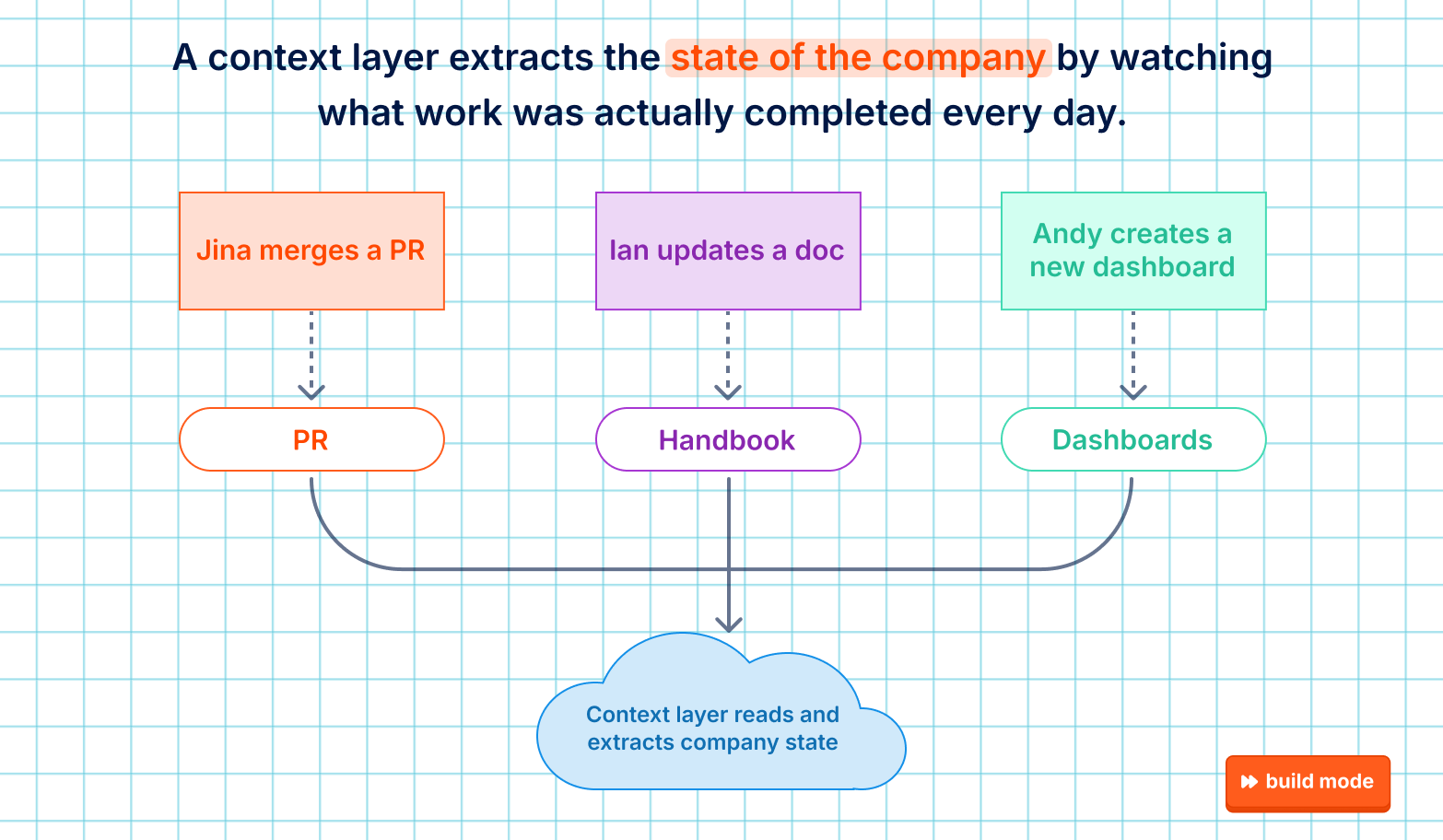
A key part of the design is that it only looks at what was actually shipped, merged, or decided in a day. If the context layer were to observe items like meeting notes or brainstorming docs, it would likely hallucinate and misrepresent reality and defeat the purpose of being a source of truth.
Here’s an excerpt of a decision log based on this PR, written in present-tense since the context layer’s job is to describe the current state of PostHog:
Replay Vision optimizes for precision over recall. A finding it presents must hold up, so a monitor yes under verify-positives stands only when a blind second draw agrees; one dissent drops it and no third draw breaks the tie.
We’ve only been dogfooding this for a few weeks, but the need has been clear for a while. Almost every external user has requested it in our interviews without even being asked, and there are several startups building similar products like Unblocked, HumanLayer, and Factory.
The takeaway: If you’re building any sort of multiplayer AI, you need shared context to save your team time, energy, and mistakes. This can be as simple as a company handbook, but ideally your system can automatically update and ground itself in reality.
2. Most collaboration happens before and after writing the code
A core part of our vision for Spaces was live session streaming. We wanted teammates to be able to stop, steer, and prompt each others’ agents in real-time.
But so far in our early data, we’re seeing that coding in PostHog Desktop is mostly done solo. Shy, our main product engineer working on Spaces, explained his hypothesis:
“If I’m working on a coding task, I don’t want other people to go and join the conversation and shift the direction of the agent. I might come back to a bunch of new commits and code changes that I didn’t expect.”
Most collaboration in software engineering has always been after code is written, during the review process. And so far, in our internal tests, that still happens more in GitHub rather than our UI.
Something new we’re observing in other products, however, is agent transcripts used as part of the code review process. This is the main bet behind Delta, the recently-launched multiplayer coding app by Zed. In their UI, they place code diffs side-by-side with agent chats and let teammates comment on either in real-time. Copilot also added an agent commit trailer earlier this year that makes it easier for reviewers to understand its changes.
Research suggests code review is more about understanding the reasons behind changes, knowledge transfer, and team awareness.1 So as engineers produce more code than they can realistically review, it’s reasonable to think there will be more emphasis on gathering teammates’ intent, reasoning, and prompting by reading session transcripts, or high-level PR descriptions.
How we’re building it
We’re still talking to users to figure out what this means for how we design shared coding sessions in PostHog Desktop.
One area we are certain about is that collaborative tasks that happen before writing any code are ripe for better AI tooling.
We think artifacts are the answer here. Artifacts are agent-generated web apps that are rendered next to your agent conversation. You might know them as Claude Artifacts, ChatGPT Canvas, or PostHog Canvases. For simplicity, we’ll refer to them broadly as “artifacts.”
Most people think of artifacts as just another way for agents to display their answers to humans, like when you ask Claude to walk you through a codebase with illustrations rather than text. But it’s also useful as a medium for human-to-human communication.
For example, Shy has been rearchitecting some features within Spaces. Instead of sharing his brainstorming session transcripts, he generated this artifact that summarizes only the relevant pieces that he wanted his teammates to comment on:
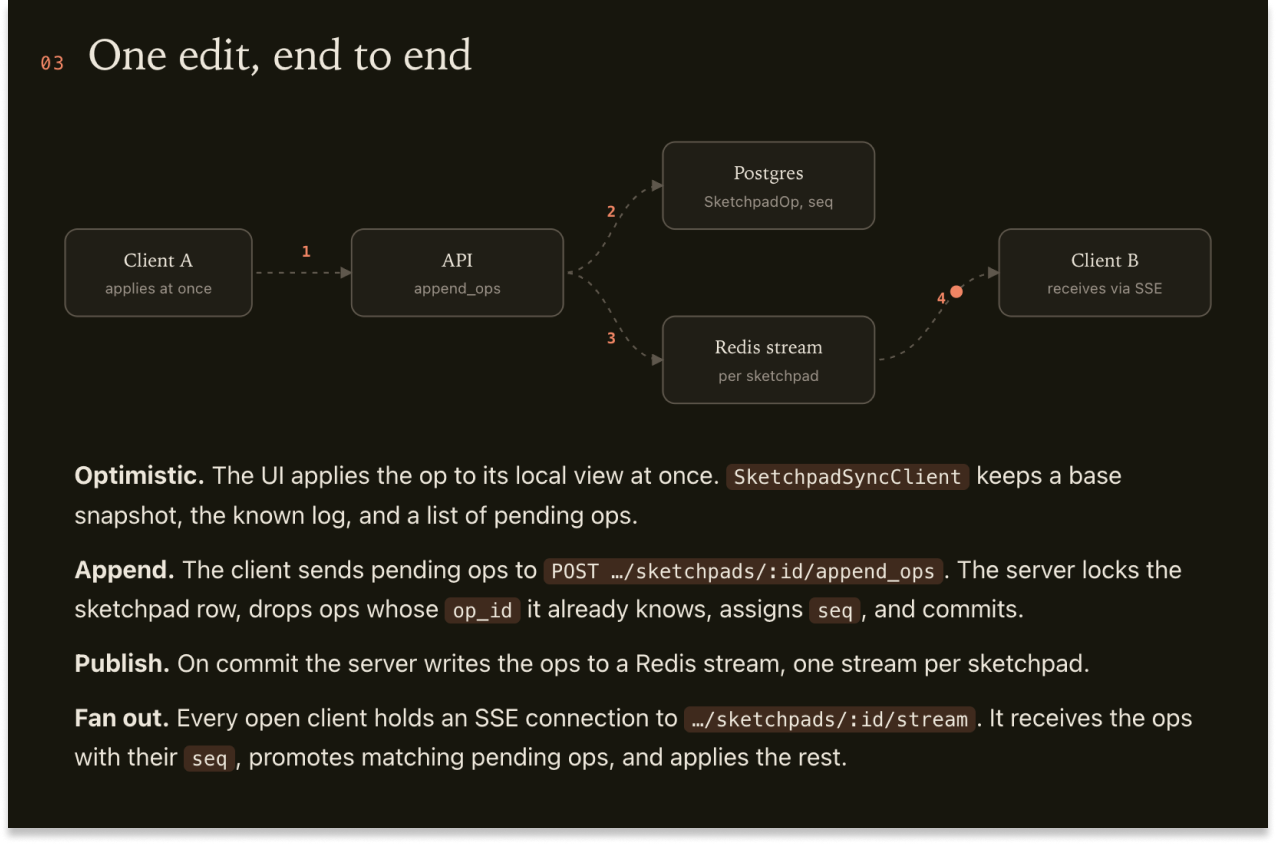
The obvious benefit is that it’s easier to read than a giant wall of text. But, more importantly, artifacts make work portable. They’re like session state snapshots; if you pass your teammates a well-designed artifact, they don’t need access to your original agent, session, or sandbox.
This concept is the backbone of Linear, Asana, and many other software factory approaches. Persistent objects like tickets and specs hold context so that any agent (or human!) can pick up wherever the work has been left off – anywhere, any time – for future sessions and cycles:
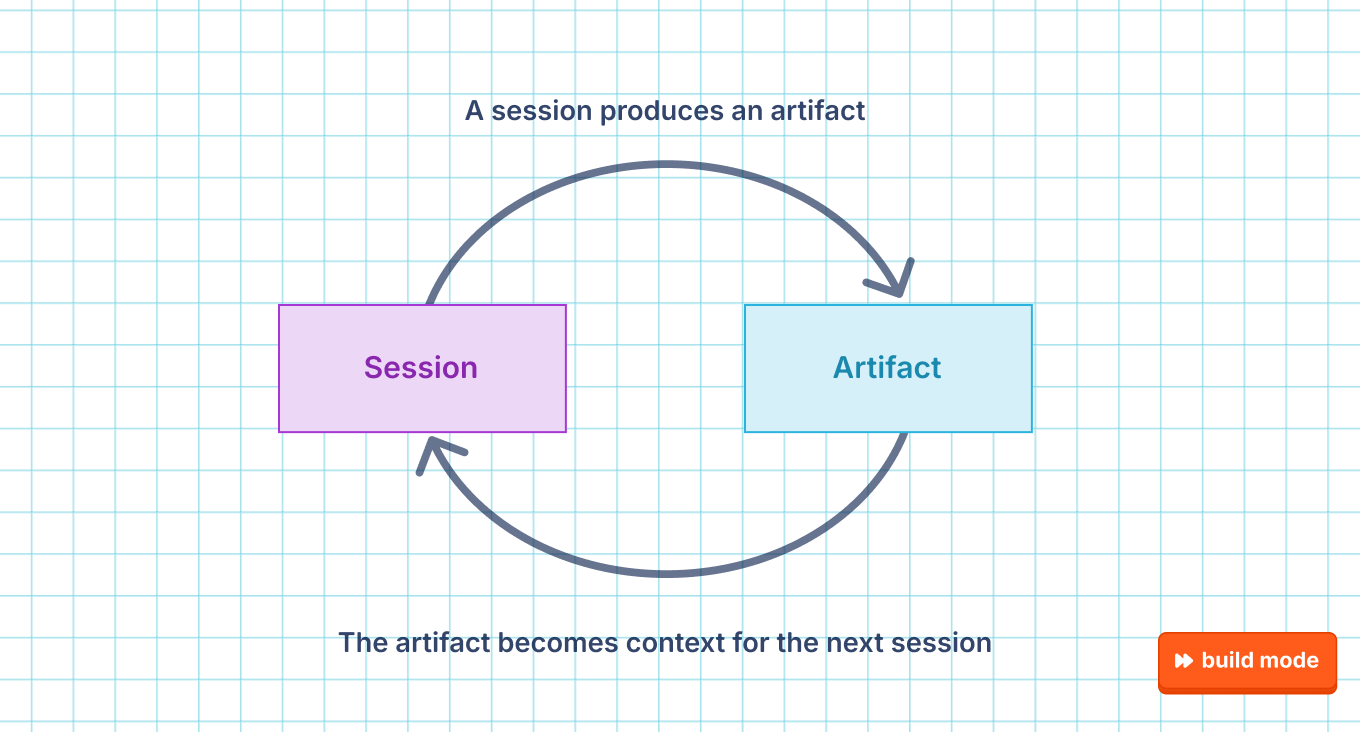
We want to take that session-artifact feedback loop to the next level by turning them into real-time experiences. You can think of it like Figma, but every change a human makes also gets recorded as code. That way, agents can easily consume and work with the same object, making a truly multiplayer experience where every actor is speaking in the same language.
The takeaway: Coding is still primarily a solo activity in our early multiplayer data, and most collaboration is limited to GitHub PRs. The clearest opportunity we see today is to make pre-coding tasks like planning, research, and handoff more multiplayer-friendly with real-time editable artifacts.
3. Multiplayer AI scopes are a human problem
During the earliest stages of design, we couldn’t articulate what defines a Space. Should they be based on teams and org charts? Do we separate them by repos, projects, or tasks? How do people choose where and with whom to collaborate with anyway?
Rather than trying to speedrun the entire discipline of organizational psychology, we left the answer blank to just see what happens.
How we’re building it
Spaces initially had no prescribed structure – anyone could create one, and everything was visible to the whole company.
This actually worked well for us because PostHog operates on very little hierarchy. But most other companies have strict policies around role-based access control, which is why other approaches like YC’s QM place so much emphasis on governance, permissions, and admin settings. This is one of our biggest blind spots, so we’re interviewing lots of people to learn more.
Still, our dogfooding at least helped us identify how and why people set up different Spaces. Even among just ~200 PostHog employees, there were three clear patterns that emerged.
The first was expected. Most teams set up a Space for their team, which ends up looking a lot like our Slack channel directory:
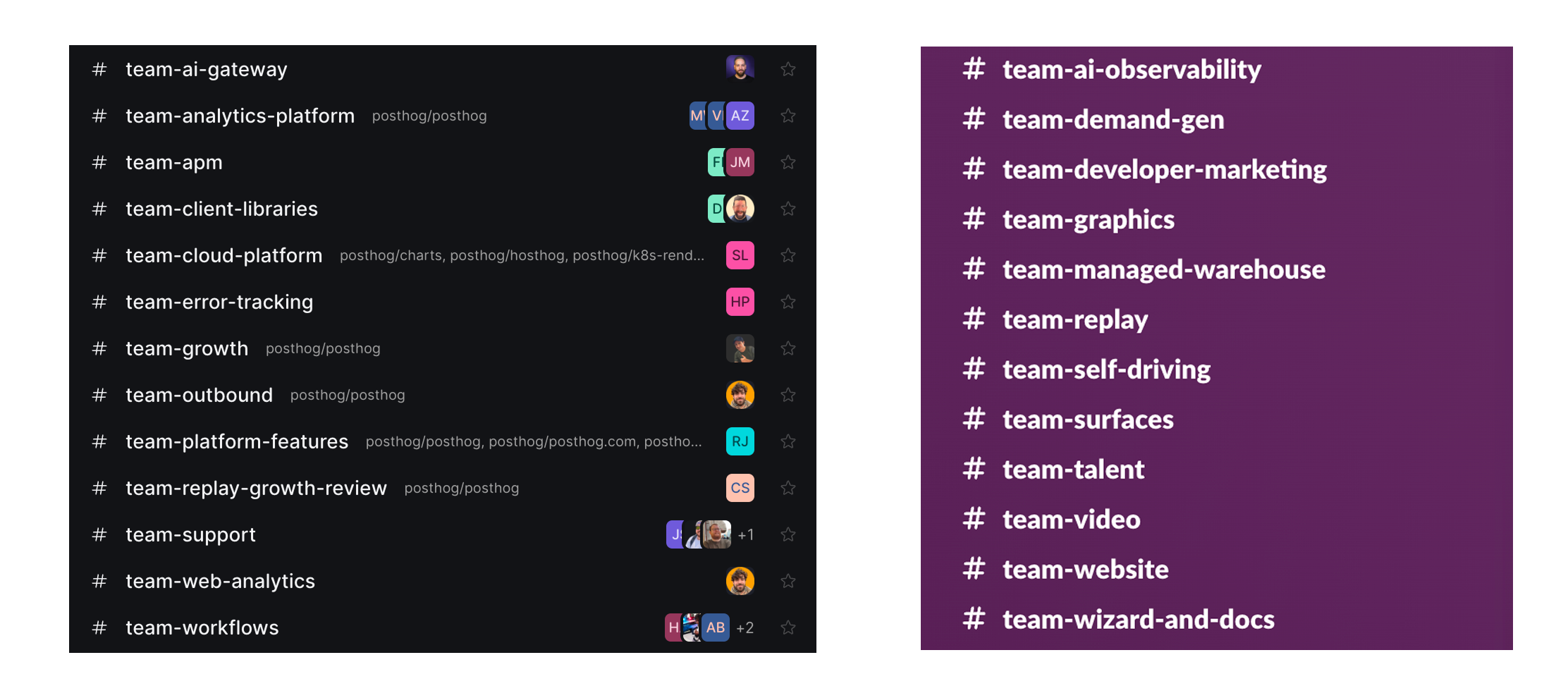
But then people started creating Spaces based on criteria like product areas, specific incidents, or task types. For example, Adam Bowker cycles frequently between #posthog-desktop and a sub-team project called #desktop-onboarding, as well as #builder-relations to look at feedback from our Discord.
We were also wrong about how people would use public vs. private sessions. We thought PostHog employees would default to creating sessions in team Spaces to promote transparency, but they overwhelmingly prefer to start tasks in private. We often see behaviors like:
Richard moving a pending task from
#personalto the shared#gatewaySpaceEleftheria reviewing her own tasks in
#personal, then switching to the#ai-infrastructureteam-wide feedPhil reading shared agent tasks in
#release, then going back to#personalto start a new session
Maybe this is just because we all got used to talking to agents informally and asking them dumb questions.

There’s still a lot left to learn about multiplayer scopes, but the hypothesis we’re landing on is that groups form around shared work and shared context – and those usually come from a shared goal.
To experiment with this, we just shipped some simple UI changes that make it easier for users to tell us about those goals. For example, they can select that the goal for the Space is to move a metric and, if so, we ask them about their targets, measurement intervals, and deadlines:
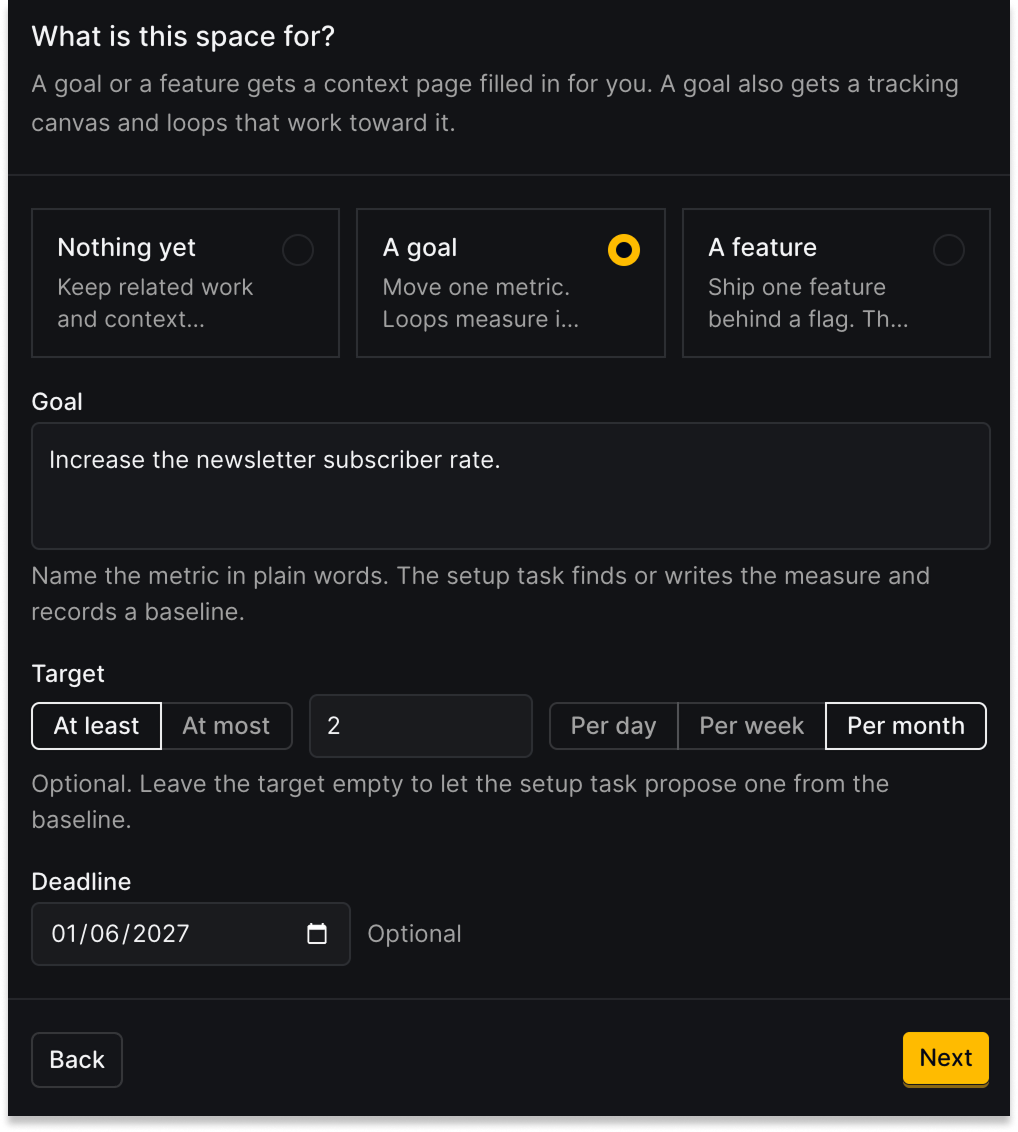
This sounds simple but, with enough data, we could leverage this information to suggest smart defaults for permissions, experiments, dashboards, and more in an AI wizard-like experience.
The takeaway: Organizational scopes are difficult because every company has their own culture with existing habits, tools, and systems. No one has ever fully figured that out for human-only collaboration, and now we’re adding agents to the mix.
Words by Jina Yoon, who wants multiplayer AI to support ranked competitive queues. Graphics by Lottie and Daniel.
⚔️ Grab these knowledge buffs
The Multiplayer AI Manifesto – Sergey Karayev
6-7 loops we use every day to make PostHog self-driving – Andy Maguire
Multiplayer AI: Competing Architectures for Human-Agent Collaboration – Josh Rosen
To build or buy feature flags: Non-obvious things to know – Ian Vanagas
How Anthropic built Artifacts – Gergely Orosz
Are you data-driven, or are you just busy? – Natalia Amorim
Recording only what shipped, merged, or was decided is the right filter, but it makes reverts the hard case. A PR merges Monday, the wiki calls it the current state, and it gets reverted Thursday after a bug report that lives in a ticket. Docs drift exactly like that on products I've shipped. Does the dreaming task treat a revert as a new decision that rewrites the old entry, or append a correction and leave agents to work out which one is current?