


One thing on every startup’s mind: Should we build an AI agent?
We had this thought two years ago, released an “AI product assistant” 6 months later, iterated, and then relaunched as PostHog AI in November last year.
We learned a lot along the way that we wished we knew when we started. With that knowledge, we could have…
Launched months earlier.
Provided a better early experience to users.
Made progress on capabilities faster.
To help you build a better agent faster, we’re sharing what we wished we had known about building AI agents.
1. Should you build an MCP server instead?
Should you even build an AI agent into your product? The capabilities of agents are unquestionably valuable but this does not mean you need to build a custom one. Making your product accessible to agents is often a better option.
Could your agent capabilities just be an MCP server? These are simpler to build and require less maintenance, and for us, is used as much as our built-in agent, PostHog AI. For example, 34% of dashboards created by AI were done through our MCP server (18% of all dashboards created).
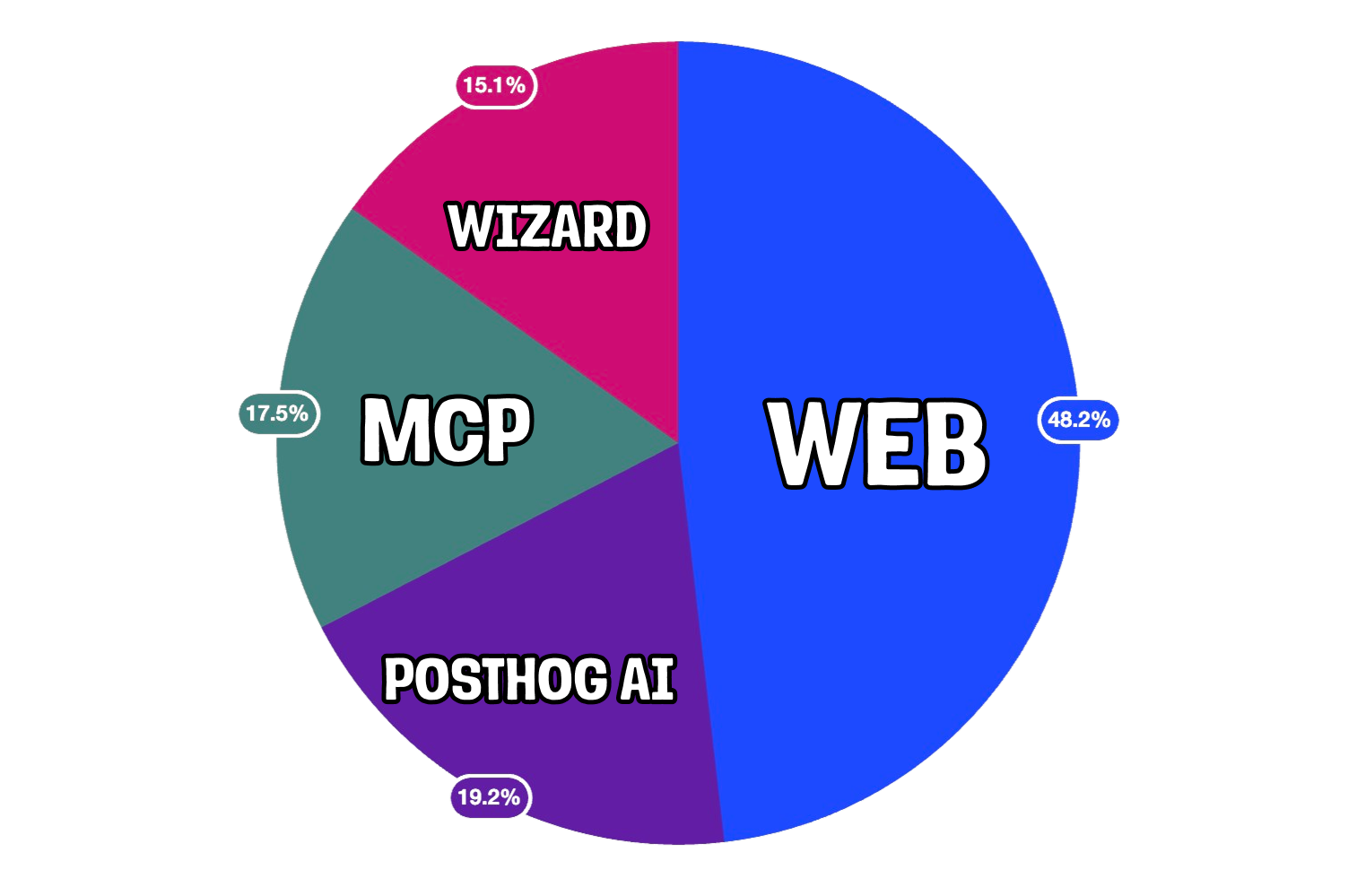
MCP servers are great if you expect your users to be developers or people combining your product with others in their ✨agentic workflows✨. Just as importantly, MCP servers validate demand for further agentic capabilities.
Custom agents are better when your users are non-engineers, when compliance blocks external agents, or when you need full control of the user experience (for example, custom image generation).
Even when you decide to go custom, consider if simpler alternatives fit your use case:
For one-shot Q&A like generating product descriptions, try a simple LLM call with good prompting
For a single task like SQL or code generation, use a specialized model with structured output
For a multi-step but predictable flow like email classification plus response drafting, create a hardcoded workflow with LLM steps
Although PostHog AI is an agent now, we validated demand for it with a simpler use case and system. We built a workflow for data-related questions like “How many people signed up last week?” which lead directly to insight generation.
Only once this workflow saw adoption and users demanded other use cases (like answering docs questions or creating feature flags) did the team build an agent.
2. Your harness is not your moat
Once you decide to build an agent, the next question is how will it work. The answer to this is an agent harness: the code and infrastructure that combines with a model to help it understand and use your product.
You aren’t going to win because you’ve created some genius new harness, especially if you’re building your first AI agent. Don’t use innovation points here. Anthropic wrote a perfectly good SDK, and both Anthropic and AmpCode have helpful guides.
If we were restarting today, we would have skipped building a custom harness and made MCP the canonical interface. We learned this the hard way through three iterations of PostHog AI this year.
The first harness was a coordinator that routed user messages to specialized sub-agents, but this created a black box problem as the coordinator couldn’t see what sub-agents were doing leading to context loss and confusion.
The second was a single agent loop with self contained modes and tools within each mode. This solved the visibility issue, but didn’t scale. If we didn’t write a tool, the capability wouldn’t exist. This led us to spending a lot of time writing tools (44 by the end) rather than improving in other ways.
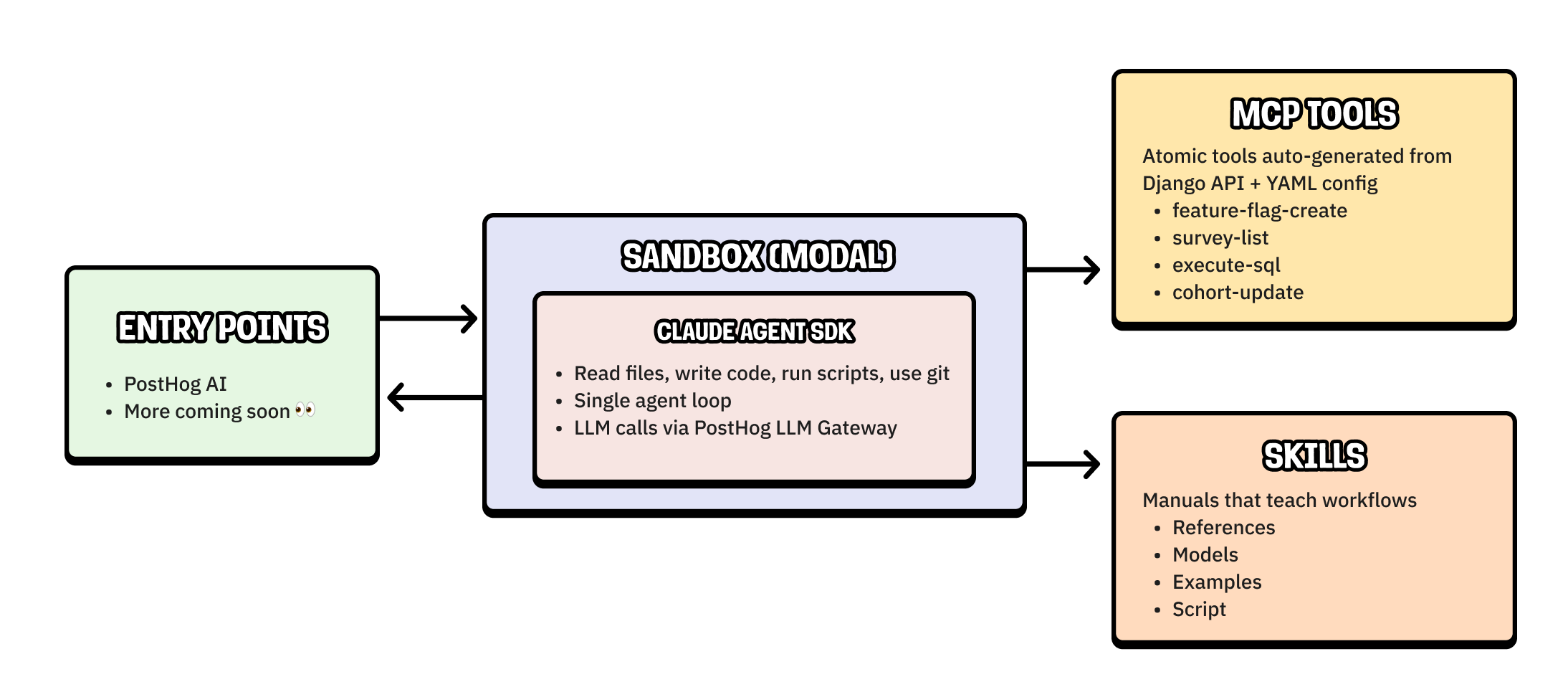
Our third and current harness uses the Claude Agent SDK with MCP tools and skills. This change came from two realizations:
Our agent could be more creative. The Claude Agent SDK gives PostHog AI access to a code-execution sandbox. The agent can use it to query with SQL and run custom scripts, unlocking new capabilities without us needing to build them.
Agents are a primary persona. Our “users” are increasingly agents, whether that is through PostHog AI or our MCP server. Our work here should converge and support both using a single architecture.
The flexibility of the sandbox plus the scalability of MCP tools and skill standards (which I’ll explain more about later) solves the issues of the second harness and positions us better for an agent-first future.
3. Your context is your advantage
When building an agent, there’s ultimately one question you need to answer to succeed: How does this beat Claude?
Context is the most important part of an answer. The combination of your app’s functionality and user data create a unique blend no other product can match.
Although you have product and user context sitting around, you need structure and format it to be useful for the agent. We do this with:
MCP tools. Capabilities selected and extracted from the PostHog API to expose all possible actions that agents can perform in PostHog. Examples include list feature flags, create a survey, or execute an SQL query.
Skills. Markdown files we write to teach the agent complete workflows and how to use our product. These include query patterns, system table schemas, examples, and MCP tool references. They are templates rendered at build time, so they can pull live context from the codebase like model schemas.
Layered runtime context injection. The frontend sends the user’s current view and state such as dashboards, insights, session recordings, and filters. This is enriched with actual queries results and project metadata like timezone and organization name.
A taxonomy tool. This lets the agent explore the user’s event names, properties, and property values on demand rather than stuffing them all into the prompt upfront.
A memory onboarding flow. This collects company and product context through conversation and persists it across sessions, so the agent builds understanding of each user’s setup over time.
Without this structured product context, the agent struggles to understand both our product and the user’s goals. It can get lost on simple questions because the context behind those questions is complex.
Reality has a surprising amount of detail and people define tasks in ambiguous ways. How would you answer “where do users drop off in CFMP1 conversion” without context?
4. Set up observability and evaluation from day one
These are essential as AI agents are non-deterministic and can fail in unpredictable ways. Without visibility into this, you can’t improve them or catch regressions.
We didn’t have observability and evaluation early and regretted it. We wish we had:
Tracing for every LLM call with inputs, outputs, latency, and cost
Trace IDs that span the full conversation
The ability to replay and debug specific interactions
A curated datasets of real user queries
Automated scorers like LLM-as-judge and deterministic checks
Basically, LLM analytics.
Unfortunately, LLM analytics alone isn’t enough. Reality is gnarly and to deal with it, our team often looks at real usage.
They run a “traces hour,” where they meet, manually analyze LLM traces (AKA real user interactions), and find areas to improve. Evals make the most sense when they stem from these investigations.
Like building any successful product, understanding a user’s experience is critical to building a successful agent.
5. It doesn’t matter how cool your capabilities are
After getting buried in technical details, it’s important to poke your head out and remember who you’re building for. You’re not building for some hypothetical “coolest AI agent” contest, you’re building for your users.
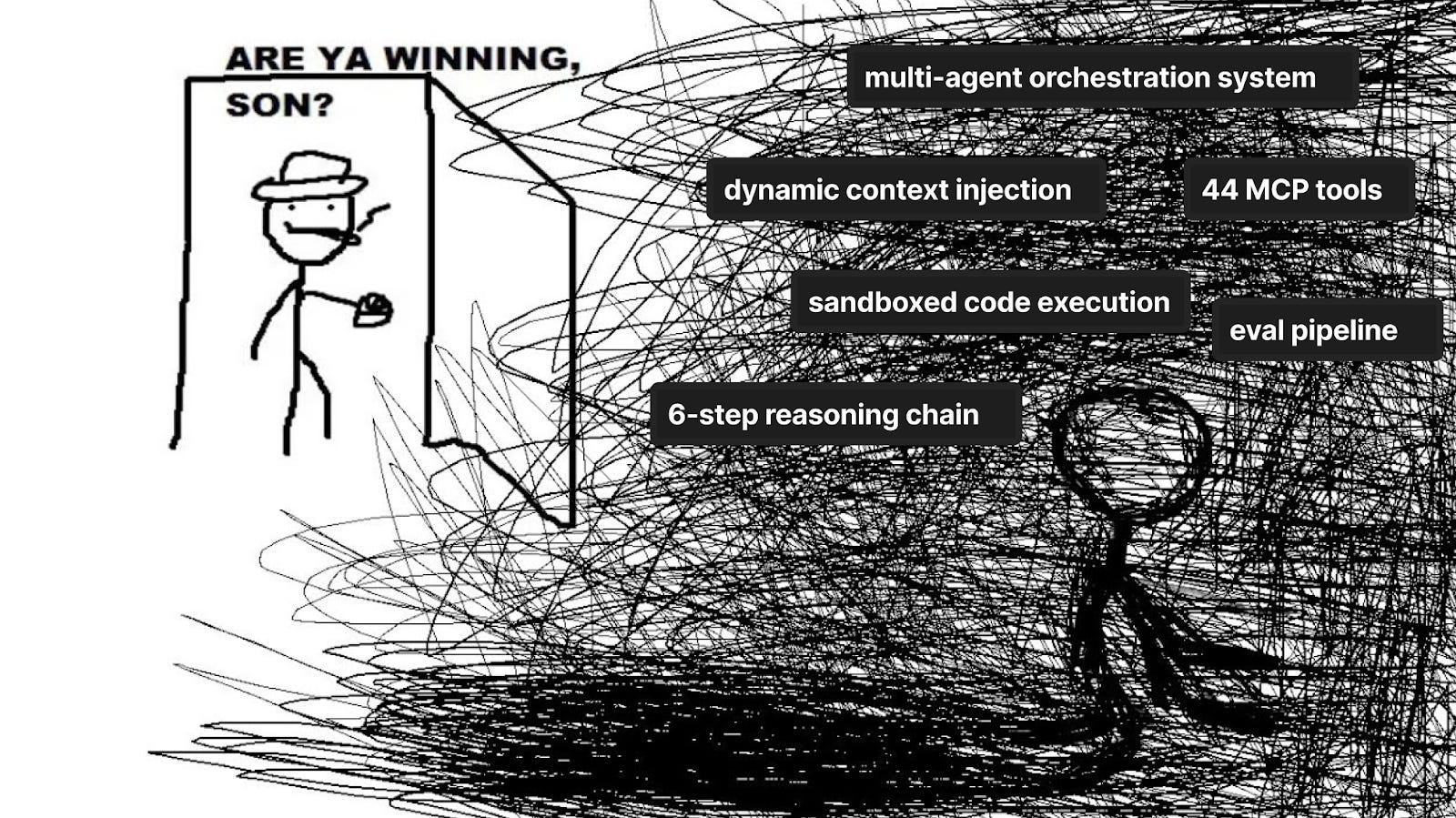
What users want is often at odds with what’s coolest. The most common pain points users faced weren’t our agent’s range of capabilities or functionality, but things like:
Inconsistent performance
Unexpected failures
Generic error messages without clear explanation
Unclear capabilities leading to complex queries failing
Lack of signs of uncertainty, source of insights, and progress
While new capabilities are cool, ensuring your agent actually solves your customer’s problems is even cooler. Ultimately, building an AI agent is not just a showcase of your AI skillz, but a product engineering problem. This requires you to talk to users, ship features they want, and iterate.
Words by Ian Vanagas who has plenty of agentic capabilities himself if you ask nicely.
🦔 Jobs at PostHog
Unlike many AI companies, we don’t think agents are going to take over every job in the next 6 months. In fact, we’re hiring!
📚 More good reads
How we built automatic clustering for LLM traces – Andy Maguire
MCP is Dead; Long Live MCP! – Charles Chen
Production Telemetry Is the Spec That Survived – Vidhya R.
You Need to Rewrite Your CLI for AI Agents – Justin Poehnelt
8 learnings from 1 year of agents – Michael Matloka
What’s CFMP? Exactly my point 😉.
The MCP server vs custom agent framing in section 1 is the most underappreciated point here. Everyone defaults to building a full agent when half the time an MCP server that exposes your product's API to existing agents would ship faster and get used more. The 34% dashboards stat from your MCP server basically proves this. Curious whether you've seen MCP usage grow faster than the built-in agent over the last few months.
Good post , thanks for sharing your experience! I have some Q : how did your load balancer handle spikes in traffic when transferring data to Kafka?
Or your team implemented sharding ?